Building a Local Agent for Email Classification Using distil labs & n8n
Your inbox is a mixture of useful and distracting. Rather than sending sensitive email data to external providers, we combined open-source n8n workflow automation with a locally-deployed small language model for privacy-preserving email categorization.
The entire pipeline runs locally — your email content never leaves your machine.
How It Works
The system automatically assigns labels from a predefined list to incoming emails based on subject lines and content:
- Fine-tune a compact model to classify emails into fixed categories using distil labs
- Deploy the tuned model locally via Ollama at a localhost endpoint
- Connect an n8n workflow that monitors Gmail and applies predicted labels
Why Fine-Tune?
A base model is general-purpose. It was not trained to map your inbox into your exact categories — leading to category confusion and inconsistent outputs.
Label Set (10 categories)
Billing, Newsletter, Work, Personal, Promotional, Security, Shipping, Travel, Spam, Other
Training Setup
| Parameter | Details |
|---|---|
| Student model | Qwen3-0.6B (600M parameters) |
| Teacher model | GPT-OSS-120B |
| Training method | Knowledge distillation + supervised fine-tuning (SFT) |
| Seed data | 154 examples |
| Training data | 10,000 synthetic email examples across 10 categories |
Results
| Model | Accuracy |
|---|---|
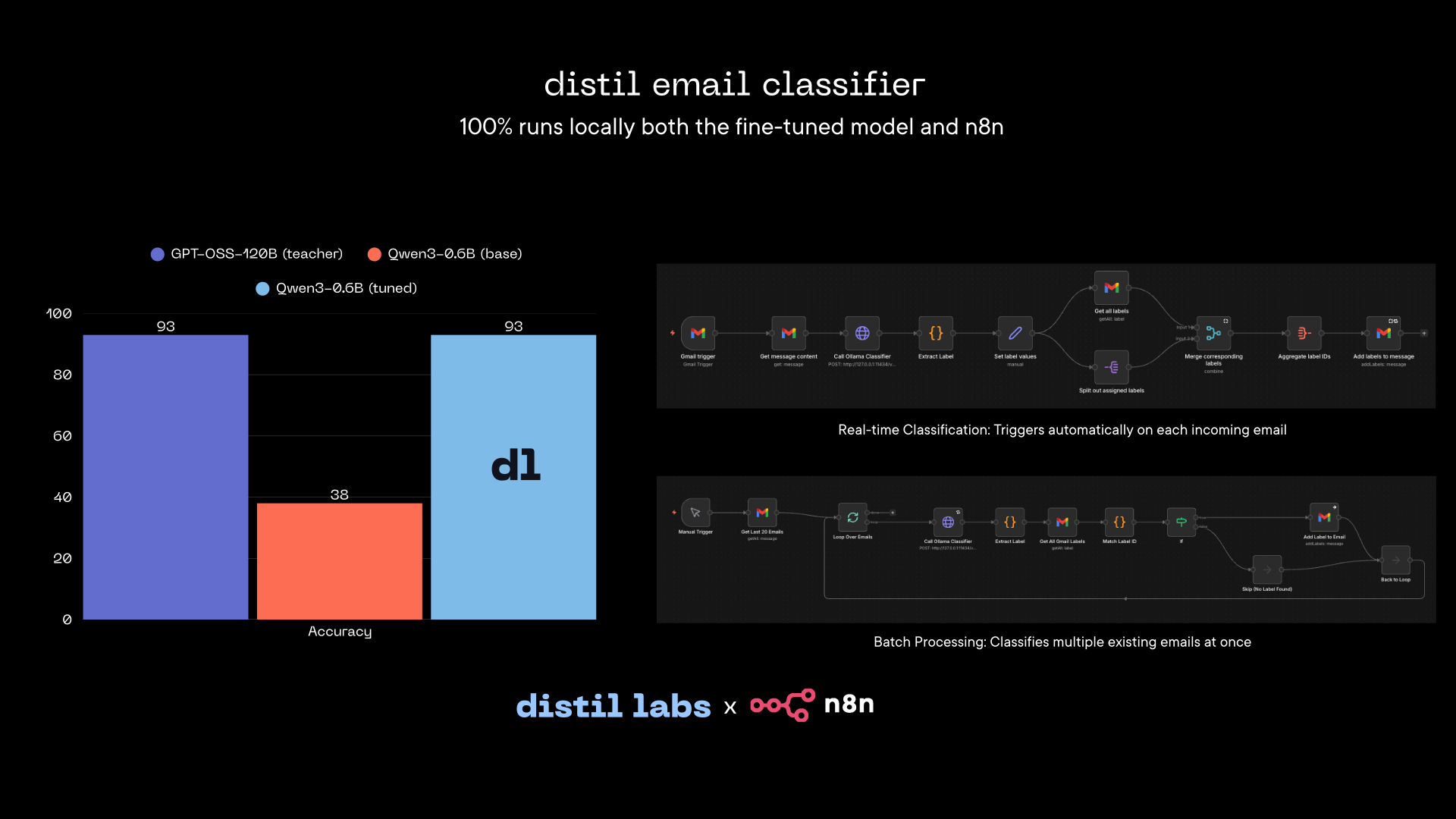
| Teacher (GPT-OSS-120B) | 93% |
| Base student (Qwen3-0.6B) | 38% |
| Fine-tuned student (Qwen3-0.6B) | 93% |
The fine-tuned 0.6B model matches the 120B teacher while remaining deployable on consumer hardware.
System Setup
1. Install n8n locally
# Install Node.js (if not installed)
brew install node

# Install n8n globally
npm install -g n8n

# Start n8n
n8n
Access n8n at: http://localhost:5678
2. Download the model
# Install huggingface CLI if not installed
python3 -m pip install -U huggingface_hub

# Download the model
hf download distil-labs/distil-email-classifier --local-dir ./distil-email-classifier
3. Run the model
# Install Ollama or download from https://ollama.com/download
brew install ollama

# Start Ollama
ollama serve

# Navigate to your model folder
cd ./distil-email-classifier

# Create model in Ollama
ollama create email-classifier -f Modelfile

# Verify the model is created
ollama list

# Run the model
ollama run email-classifier "test"

# Check if the model is running
ollama ps
Expected output:
NAME                       ID              SIZE      PROCESSOR    CONTEXT    UNTIL
email-classifier:latest    695190b0f07f    3.5 GB    100% GPU     4096       4 minutes from now
To maintain continuous operation:
OLLAMA_KEEP_ALIVE=-1 ollama run email-classifier "test"4. Import n8n workflows
Download workflow JSON files from: distil-n8n-gmail-automation
Two workflow types available:
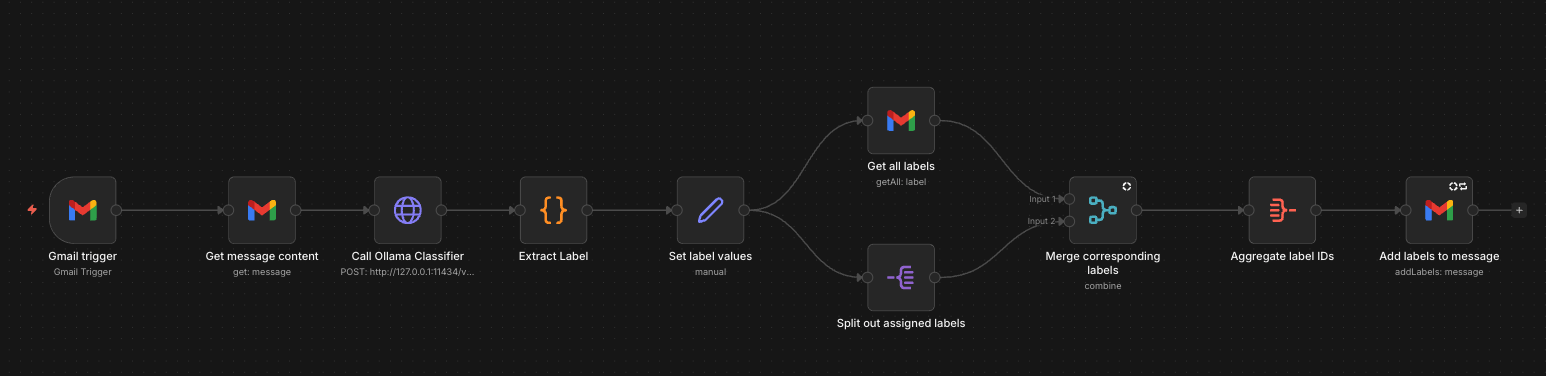
- Real-time Classification: Triggers automatically on incoming email
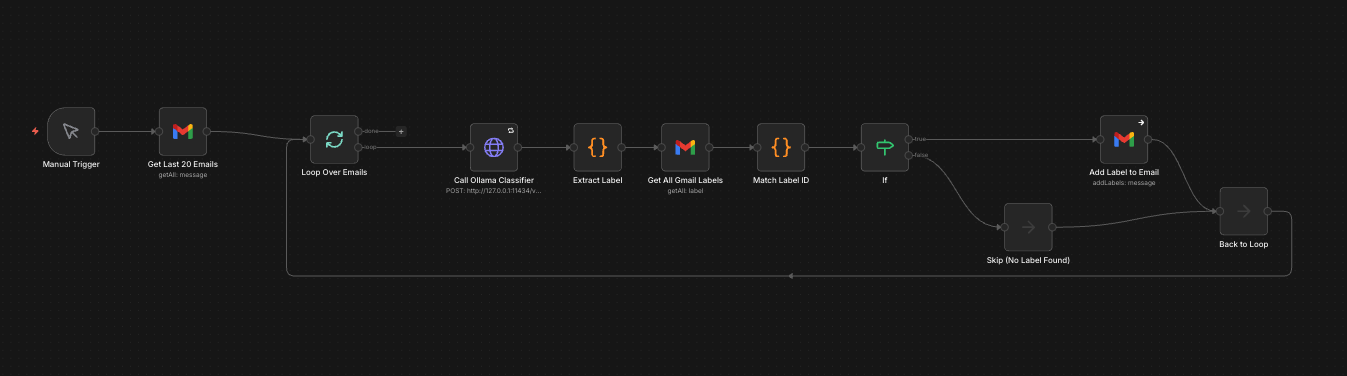
- Batch Processing: Classifies multiple existing emails simultaneously
5. Connect Gmail via OAuth
- Navigate to
console.cloud.google.comand create a project - Enable Gmail API in APIs & Services
- Configure OAuth consent screen with app name: “n8n Email Classifier”
- Add scope:
https://mail.google.com/ - Create OAuth 2.0 credentials with type “Web application”
- Set Redirect URI to:
http://localhost:5678/rest/oauth2-credential/callback - Copy Client ID and Client Secret
6. Configure n8n HTTP Node
| Setting | Value |
|---|---|
| Method | POST |
| URL | http://127.0.0.1:11434/v1/chat/completions |
| Headers | Content-Type: application/json |
| Body Type | JSON |
Before You Run
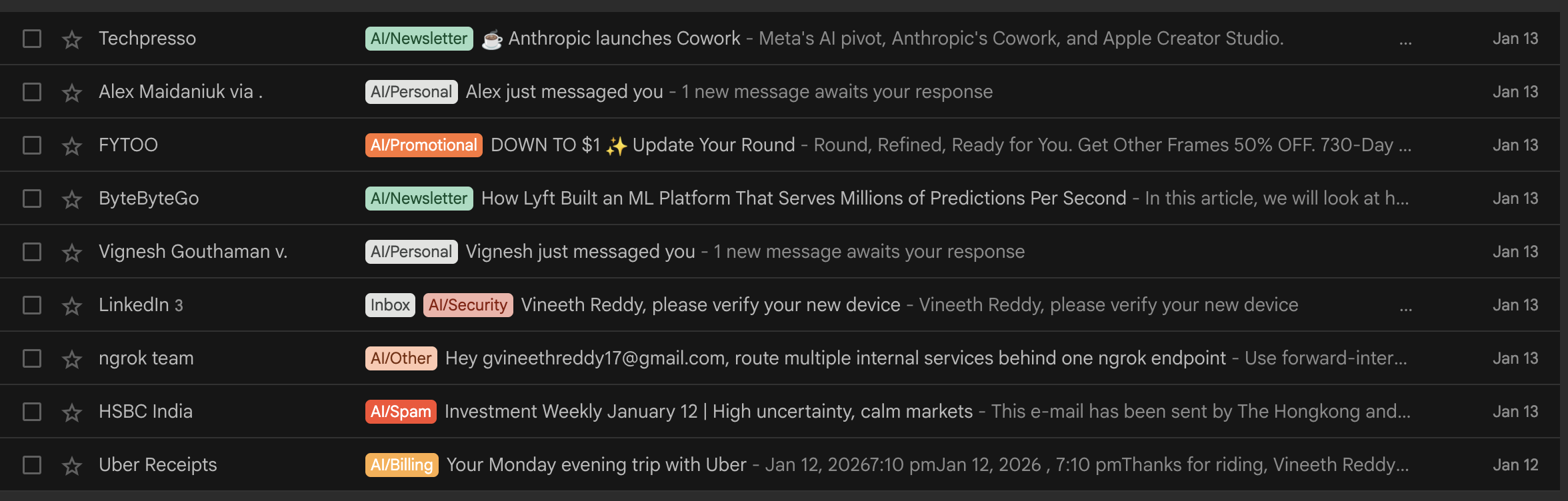
Manually create all 10 labels in Gmail with the “AI/” prefix (e.g., AI/Billing, AI/Work, AI/Travel) to match model outputs and avoid conflicts with Gmail’s built-in categories.
Wrapping Up
Once this is running, your inbox stays organized without sending email content to a cloud LLM. You can customize by training models on distil labs with your own labels.
New users receive two free training credits.